Drydock managementNew module

The whole drydock in one place, from scope to dossier.

Plan the scope, compare shipyard proposals on the same basis, approve variations with cost and schedule impact in view, and close with technical acceptance and a history ready for the next docking.

Shipowner and shipyard work in the same process, each with their own view.

Book a drydock demo
Drydock management

01 Β· Context

Drydock is the most expensive project of the year, and it still runs on spreadsheets and email.

The scope changes after quotes go out, proposals arrive in different formats, extras are approved by message, and the final cost only shows up once the yard work is over. By the next docking, nobody can find what was done.

Compare shipyards on the same item grid, exchange rates, and assumptions

Approve every variation with its cost and schedule impact, before and after

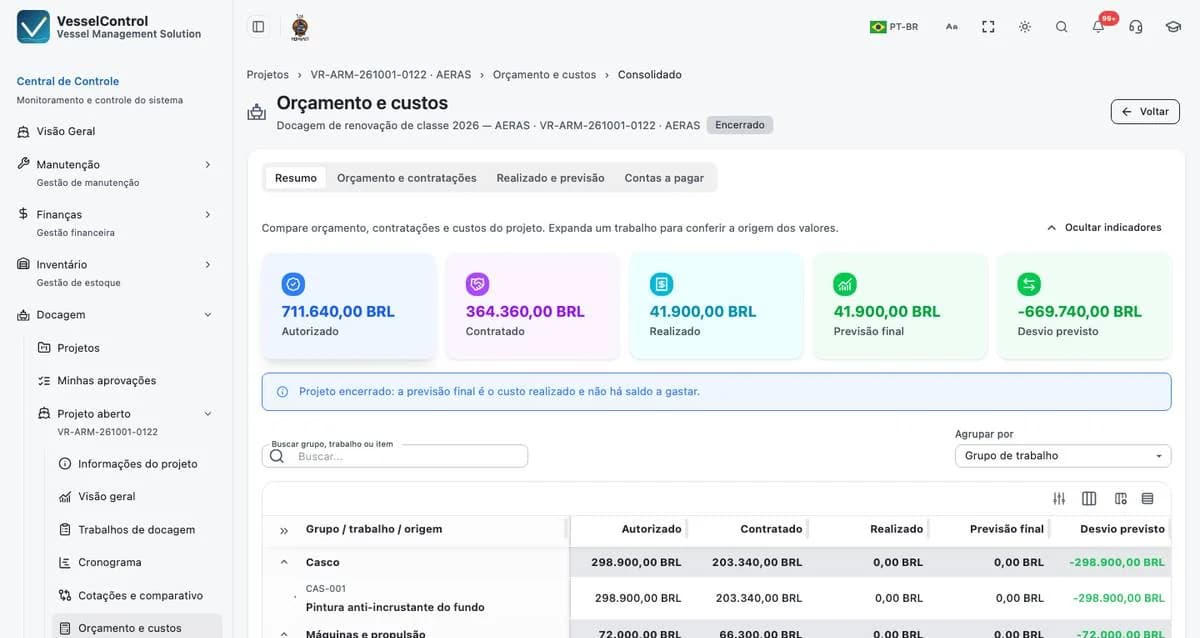
Follow the forecast final cost during the work, not after it

Two modes, one process

Shipowner mode

For those who contract the drydock

  • Scope approved and protected before the yard work
  • Fair comparison between shipyards
  • Daily log, photos, and progress sent by the shipyard
  • Payables checked against the contract, with the open balance in view
Shipyard mode

For those who deliver the work

  • Planning with resources and capacity
  • Internal cost and subcontractors
  • Offer, amendment, measurement, billing, and collection
  • Forecast margin per project

02 Β· Capabilities

One workflow in four stages

Plan

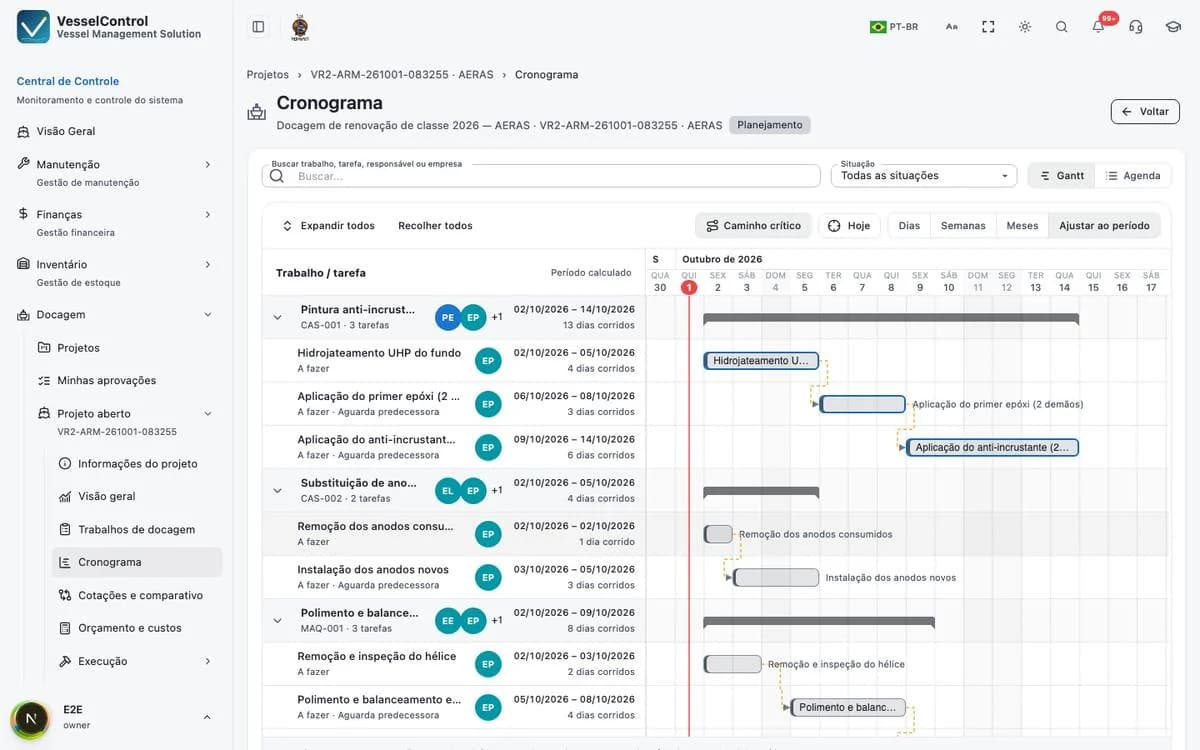
Scope with specifications, a calculated schedule with shifts, holidays, and dependencies, and an approved budget and baseline.

Quote and contract

Invite suppliers through the Partner Portal, a template spreadsheet, or their own PDF. Every proposal lands in the same comparison grid, with formal approval.

Execute

Daily log with photos, progress, materials, and variation orders accepted by the supplier and approved internally.

Close

Invoices checked against the contract, technical acceptance with evidence, a frozen dossier, and indicators across dockings.

Drydock management detailed workflow

Works on its own. Connects when you need it.

When contracted, Drydock connects to Maintenance (Jobs), Inventory (reservation and consumption), and Finance (payables and receivables), always with a preview and confirmation.

03 Β· People

For those who contract the work and those who deliver it

Technical superintendents and fleet managers
Procurement and finance teams at shipowners
Shipyards and ship repair contractors
Yacht and offshore vessel managers

Frequently asked questions

Do I need other VesselControl modules?

No. Drydock works on its own. If you also use Maintenance, Inventory, or Finance, it connects to them with a preview and confirmation before anything is created.

How do shipyards send their proposals?

Through the Partner Portal, by filling in the template spreadsheet, or by attaching their own PDF. All formats land in the same item grid for comparison.

Can proposals come in different currencies?

Yes. Each proposal records its currency and the exchange rate provided, and the comparison converts everything to the project currency.

How are extras approved during the work?

Through variation orders: the supplier accepts the change and your team approves it formally, with cost and schedule shown before and after.

Is it only for shipowners?

No. Shipyards and repair contractors use the shipyard mode to plan resources, follow internal cost, and manage offers, amendments, measurements, and billing.

Next drydock coming up? Start with the scope.

We walk through the complete workflow, from scope to dossier, using example data shaped around your operation.

Book a drydock demo